
Refine the clip
Review framing, cuts, captions, audio and branding. Preview your changes before rendering an output.
Stand-up clip maker
Start with a full set or a single video. Review clip selections, edit captions and framing, then prepare your content for publishing.
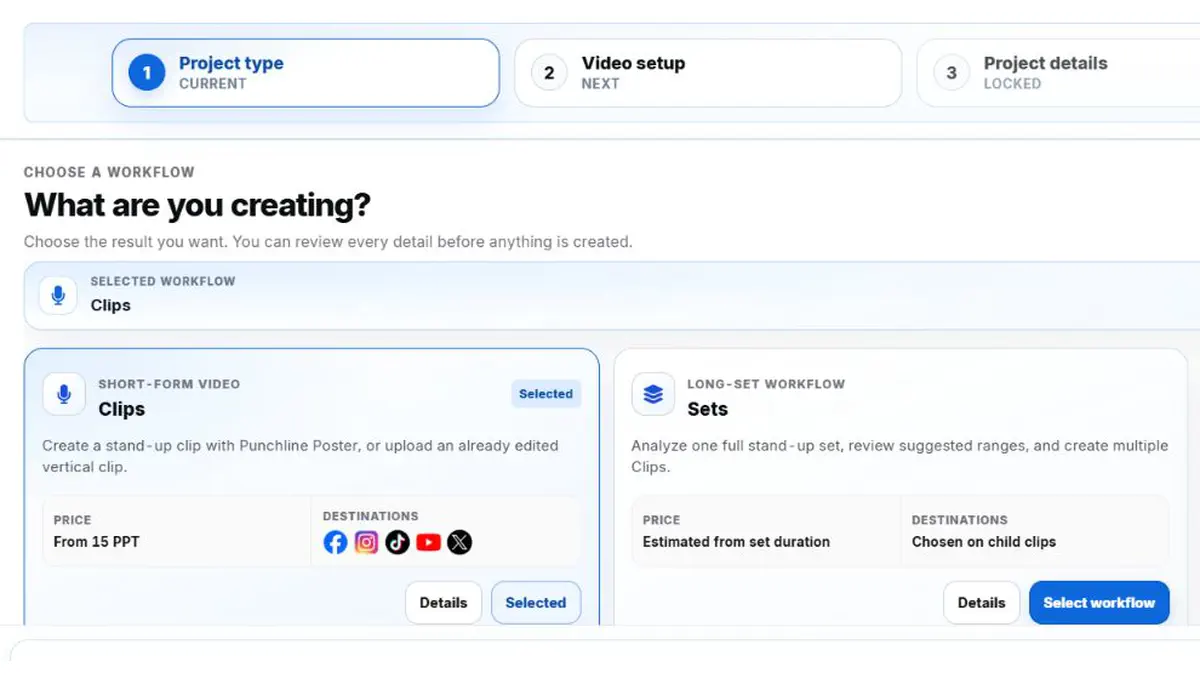
Upload a 10–60 minute landscape recording. Review transcript-assisted suggestions, adjust the boundaries and create only the clips you approve.
Full-set processing requires an eligible plan. Source quality affects the results, so review the output before release.
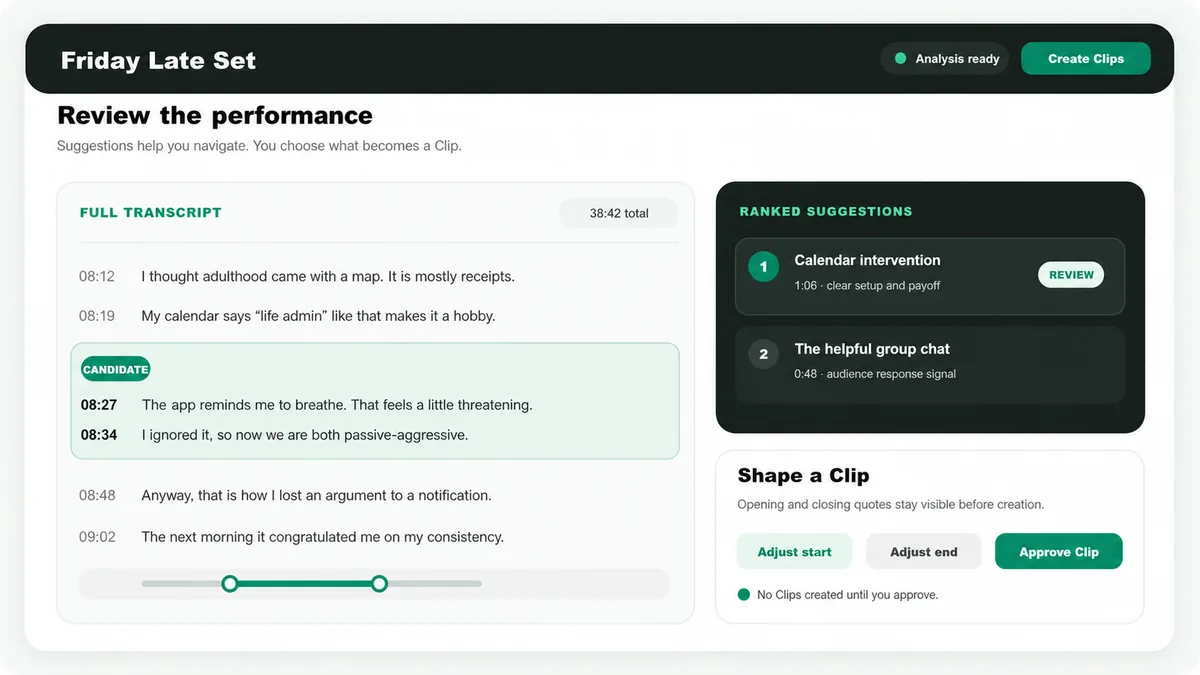
Review framing, cuts, captions, audio and branding. Preview your changes before rendering an output.
Choose supported destinations, review platform copy and schedule or publish the finished media.
Use available tracked-post analytics to assess reach and engagement. Results vary by platform and audience.
Use the cleanest available audio, keep the stage visible, preserve audience sound for set analysis, avoid hard cuts inside the source recording and allow a little time before the first line and after the final reaction.
No. It surfaces promising complete bits using transcript context and audience-response signals. The comedian approves the clip and its boundaries.
Yes. The set workflow accepts a 10–60 minute landscape stand-up recording, prepares a review workspace, and creates only the child Clips you approve.
Yes. Choose Clips, select Stand-up, and use Full AI for raw or horizontal footage or Already edited for a finished vertical source.
Full AI is the processing path for raw stand-up footage that still needs a first vertical treatment. Already edited is the faster path for a vertical source that is ready for finishing and release work.
Destinations are chosen on each child Clip after you approve and create it from the set review workspace.
No. The workflow continues into framing, captions, editing, scheduling, supported-platform publishing and performance review.